Reclaiming Microsoft 365 licenses from people who no longer use them
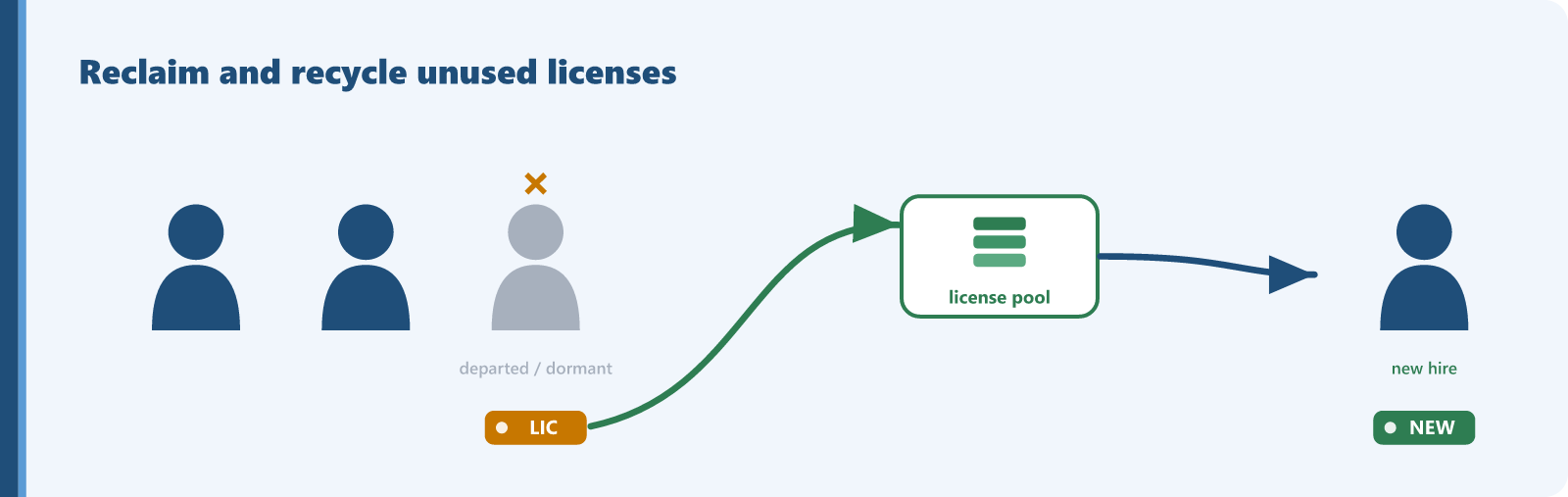
Most Microsoft 365 overspend is licenses still assigned to people who left months ago, accounts that were disabled but never unassigned, and seats nobody has signed into since last year. Microsoft 365 is licensed per user, and the license is tied to the account, not to whether the person still works for you. When someone leaves, their E3 or E5 keeps billing until an administrator removes the assignment and reduces the license count. Blocking sign-in or disabling the account does not stop the charge. The license has to be unassigned and the license count needs to be reduced. Because enterprise seats are among the most expensive recurring per-user costs an organization carries, a handful of stranded licenses is real money every month, and the waste compounds because nobody is reconciling the leavers list against the license list.
Deployment scenarios and auditing
Every organization with staff turnover is exposed, and companies that frequently go through acquisitions have it worst, because acquisition licenses rarely get reconciled. You can confirm the problem today with tools you already own:
- In the Microsoft 365 admin center, open Billing, then Licenses, and compare assigned against purchased for each plan. Unassigned paid licenses are the first easy win.
- In Users, then Active users, filter for accounts with sign-in blocked that still hold a license. These are usually leavers.
- In Microsoft Entra ID, review last sign-in activity and flag long-dormant accounts that still carry a paid license.
- Cross-check against the HR leavers list and against shared or service accounts that may not need a paid plan at all.
- Reclaim by unassigning the license, not just disabling the account, and remove related software and block access when you reassign.
When this does not apply
A blocked or disabled account is not always waste. Former-staff mailboxes are sometimes kept on a paid plan for legal hold or delegated access, and some accounts are retained deliberately during litigation. Before you strip a license, confirm there is no retention, hold, or shared-access reason for it. If there is, the seat may be justified, or there may be a cheaper way to preserve the data.
Your per-seat cost multiplied by the stranded seats that have no documented hold reason. Much of it converts into avoided new-hire purchases rather than a one-time refund.
Find this kind of waste in your own tenant
Sentsai scans your Microsoft 365 tenant in minutes, read-only. The free scan shows what the waste costs you; the itemized report is paid.
Needs a one-time approval of read-only access from an administrator who can approve apps. Not an admin? Email this to yours.
Questions? support@sentsai.com