Right-sizing light Dynamics 365 users with Team Members and limited-use licenses
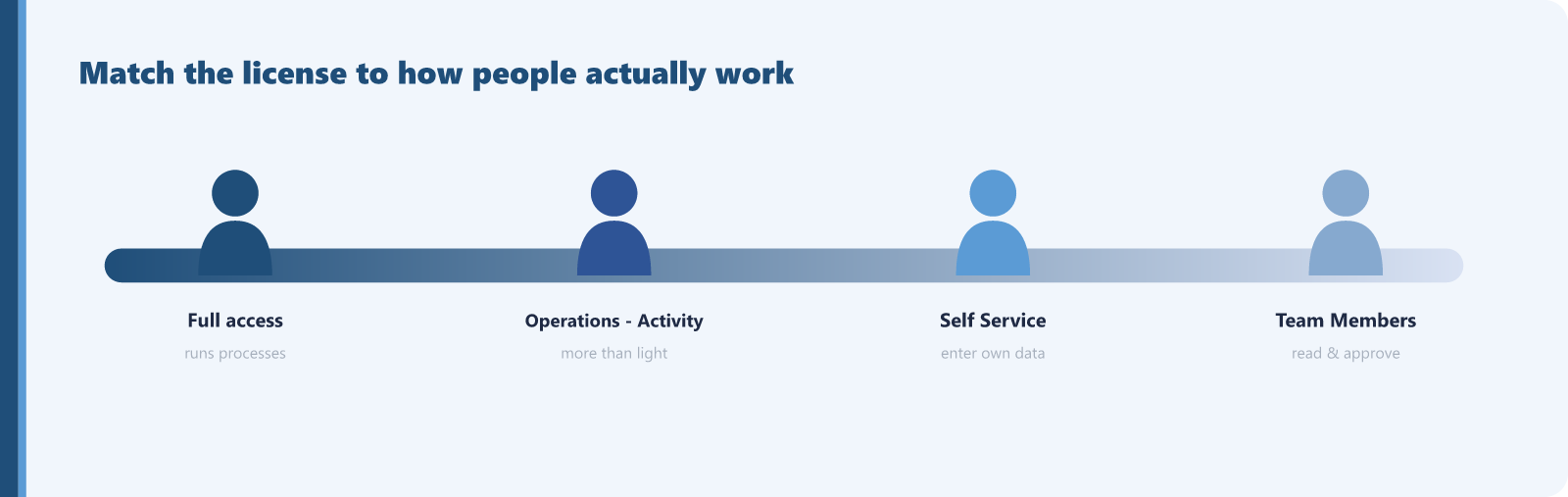
Not everyone who logs into Dynamics 365 needs a full license. Full-access licenses are priced for people who run the business processes, but plenty of users only touch the edges: managers who approve time off, employees who update their own details and submit expenses, staff who read reports from a system but never create records in it. If those users sit on full licenses, you are paying full-access prices for read-and-approve activity. Microsoft provides cheaper license types built for exactly these people, and using them is one of the most reliable ways to cut Dynamics cost without taking anything away.
The Dynamics 365 Licensing Guide describes several additional user licenses for users who do not need full access:
- Team Members: a named-user license for people who support multiple lines of business. It grants read-only access to Dynamics 365 data plus basic capabilities for specific scenarios, such as expense entry or updating contacts.
- Business Central Team Members: read-only access to certain data and limited functionality within Business Central.
- Human Resources Self Service: access to employee and manager self-serve tasks, such as entering absence or vacation and looking up benefits.
- Operations - Activity: for users who need more than Team Members allows but still do not need full-access operations rights.
The guide spells out Team Members use rights so you can judge the fit honestly. It covers reading across Dynamics 365 apps, creating and updating activities, contacts, and notes, exporting to Excel, and a defined set of pre-approved scenarios including employee self-serve, manager light actions such as approving time, expenses, or leave, and purchase requisition entry and approval. It is read-and-light-task access by design, not a discounted full license.
Deployment scenarios and auditing
Organizations with broad Dynamics 365 footprints and a long tail of occasional users are the most exposed, and finance and operations deployments are typical, because so many staff interact only to approve, self-serve, or read. To right-size:
- Review what each full-access user actually does, using security roles and activity as a guide.
- Identify users whose real work is reading, self-serve, and approvals, with no creation or editing of core business records.
- Compare that work against the Team Members and other limited-use rights in the guide.
- Move the clear matches and keep the rest on full access.
When this does not apply
This is where care matters, because the limits are real. Team Members is read-only plus a short list of pre-approved tasks. If a user creates or edits core records, works cases, processes orders, or needs functionality outside the approved scenarios, Team Members will not cover them, and a full license is the correct, compliant choice. Map the use rights to the actual work first. If the work exceeds the lighter license, keep the full one.
For every user who genuinely fits a lighter license, the saving is the gap between their full-access price and the limited-use price, and light users are often a large fraction of the total. The eligible count comes from your own usage review, which keeps the estimate grounded.
Find this kind of waste in your own tenant
Sentsai scans your Microsoft 365 tenant in minutes, read-only. The free scan shows what the waste costs you; the itemized report is paid.
Needs a one-time approval of read-only access from an administrator who can approve apps. Not an admin? Email this to yours.
Questions? support@sentsai.com